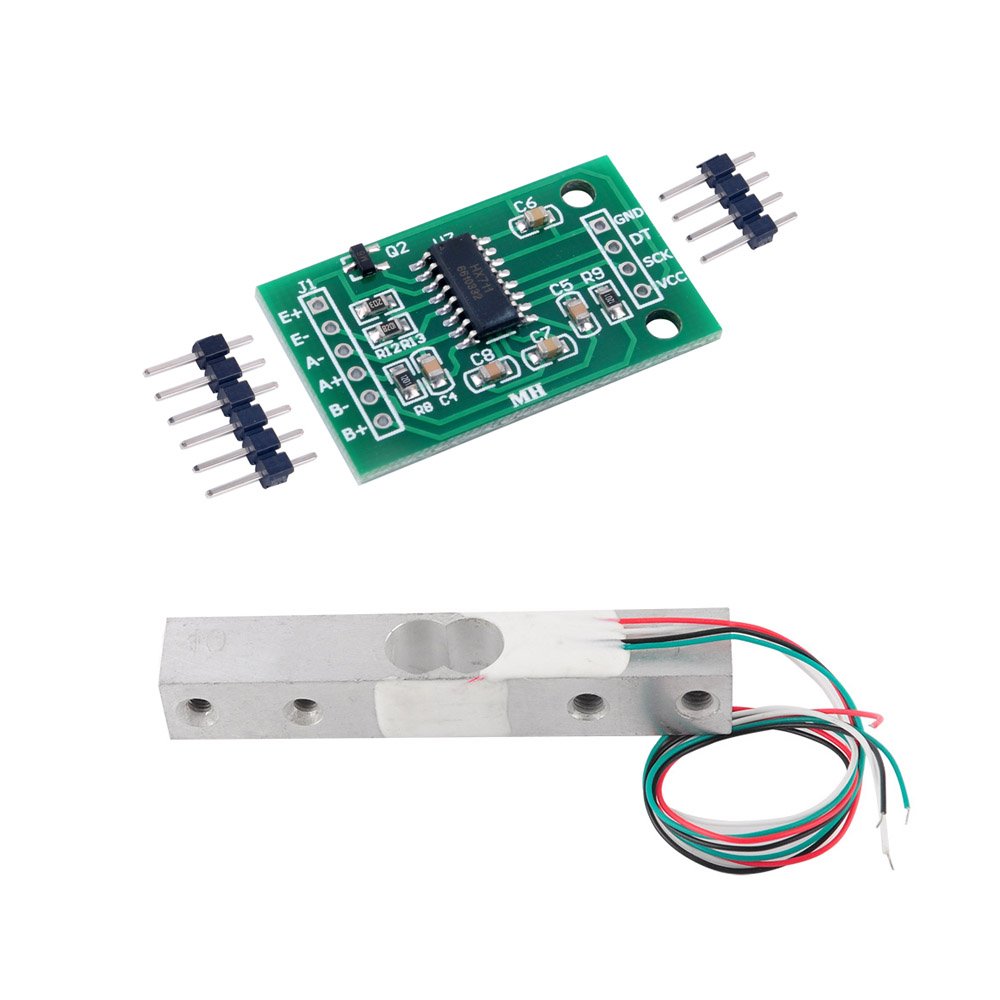
Weight sensor HX711 (bar-type)
https://www.aliexpress.com/item/1005006827930173.html
https://www.amazon.de/-/en/gp/product/B079FQNJJH/
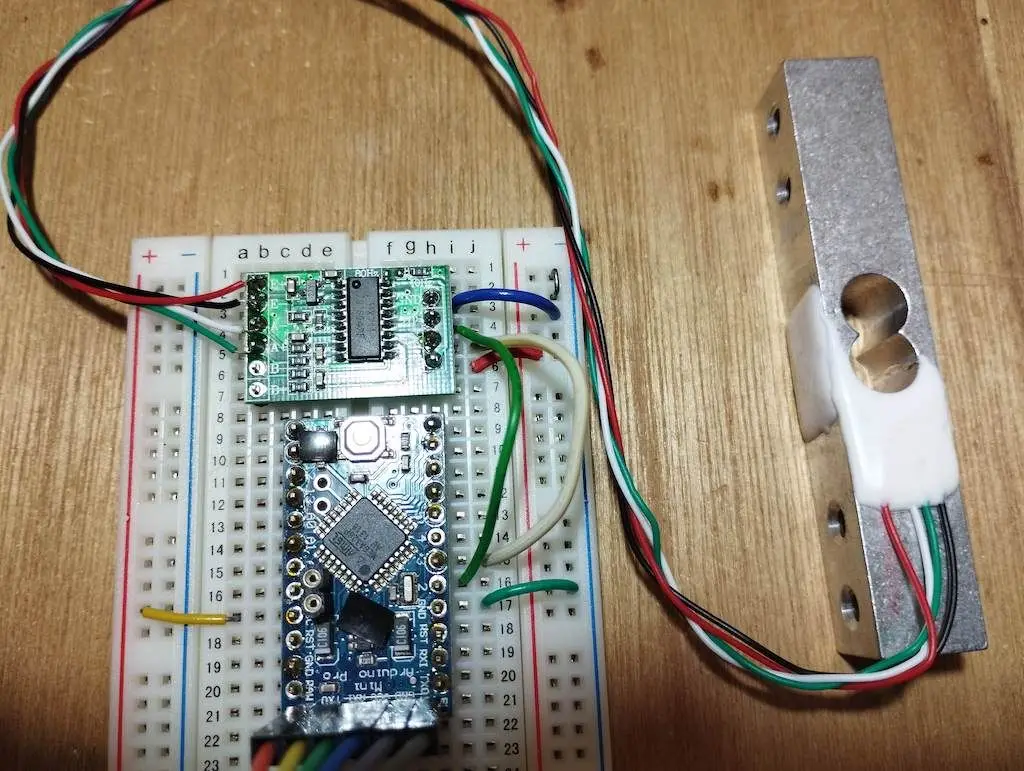
Wiring
Single Load Cell Setup
HX711 Load Cell Amplifier:
- E = Excitation. E+ (Red) and E- (Black) are the excitation wires for the load cell, providing the voltage that powers the load cell.
- A = Amplifier. A+ (White) and A- (Green) are the signal wires from the load cell, carrying the differential signal that the HX711 amplifies.
Four Load Cells Setup (for complete beehive weight measurement)
Yes, you can connect 4 weight sensors to a single ESP32! Each load cell needs its own HX711 amplifier. Here's how the connections work:
Alternative Wiring (Shared SCK): You can share the SCK (clock) line between all HX711 modules to save ESP32 pins. In this case, you'd only need 5 pins total (1 shared SCK + 4 separate DT pins):
ESP32 GPIO17 → All HX711 SCK pins (shared)
ESP32 GPIO16 → HX711 #1 DT
ESP32 GPIO18 → HX711 #2 DT
ESP32 GPIO21 → HX711 #3 DT
ESP32 GPIO23 → HX711 #4 DT
3.3V → All HX711 VCC pins
GND → All HX711 GND pins
Features
Two selectable differential input channels
On-chip active low noise PGA with selectable gain of 3264 and 128
On-chip power supply regulator for load-cell and ADC analog power supply
On-chip oscillator requiring no external component with optional external crystal
On-chip power-on-reset
Simple digital control and serial interface: pin-driven controlsno programming needed
Selectable 10SPS or 80SPS output data rate
Simultaneous 50 and 60Hz supply rejection
Current consumption including on-chip analog power supply regulator: normal operation < 1.5mApower down < 1uA
Operation supply voltage range: 2.6 ~ 5.5V
Operating Temperature Range:-20 degree ~ +85 degree
Connection Summary
For 4-sensor beehive scale setup:
| Load Cell Position | HX711 Module | ESP32 DT Pin | ESP32 SCK Pin | Load Cell Wires |
|---|---|---|---|---|
| Front Left | HX711 #1 | GPIO16 | GPIO17 | Red→E+, Black→E-, White→A-, Green→A+ |
| Front Right | HX711 #2 | GPIO18 | GPIO19* | Red→E+, Black→E-, White→A-, Green→A+ |
| Back Left | HX711 #3 | GPIO21 | GPIO22* | Red→E+, Black→E-, White→A-, Green→A+ |
| Back Right | HX711 #4 | GPIO23 | GPIO25* | Red→E+, Black→E-, White→A-, Green→A+ |
*Can be shared (all connected to GPIO17) to save pins.
Power connections:
- ESP32 3.3V → All HX711 VCC pins
- ESP32 GND → All HX711 GND pins
Arduino Code Example:
#include "HX711.h"

// Define pins for each HX711
#define DT1 16
#define SCK1 17
#define DT2 18
#define SCK2 19  // or 17 if sharing SCK
#define DT3 21
#define SCK3 22  // or 17 if sharing SCK
#define DT4 23
#define SCK4 25  // or 17 if sharing SCK

// Create HX711 instances
HX711 scale1, scale2, scale3, scale4;

void setup() {
  Serial.begin(115200);

  // Initialize each scale
  scale1.begin(DT1, SCK1);
  scale2.begin(DT2, SCK2);
  scale3.begin(DT3, SCK3);
  scale4.begin(DT4, SCK4);

  // Calibration factors (determine experimentally)
  scale1.set_scale(2280.f);
  scale2.set_scale(2280.f);
  scale3.set_scale(2280.f);
  scale4.set_scale(2280.f);

  // Tare (zero) all scales
  scale1.tare();
  scale2.tare();
  scale3.tare();
  scale4.tare();
}

void loop() {
  float weight1 = scale1.get_units(10);  // Average of 10 readings
  float weight2 = scale2.get_units(10);
  float weight3 = scale3.get_units(10);
  float weight4 = scale4.get_units(10);

  float totalWeight = weight1 + weight2 + weight3 + weight4;

  Serial.printf("Corner weights: %.2f, %.2f, %.2f, %.2f kg\n",
                weight1, weight2, weight3, weight4);
  Serial.printf("Total hive weight: %.2f kg\n", totalWeight);

  delay(1000);
}
Red to E+
Black to E-
Green to A+
White to A-